
Siirry sisältöön

Ostoskori

Ostoskorisi on tyhjä

Artikkeli: How to add a display language?

How to add a display language?

Step1, Click Right mouse on the Windows icon on the bottom left corner-> Select Settings->Time & Language->Language->Click Add a preferred language to add a display language.

Step2, Choose a language to install.

Step3, Choose the install language features. 

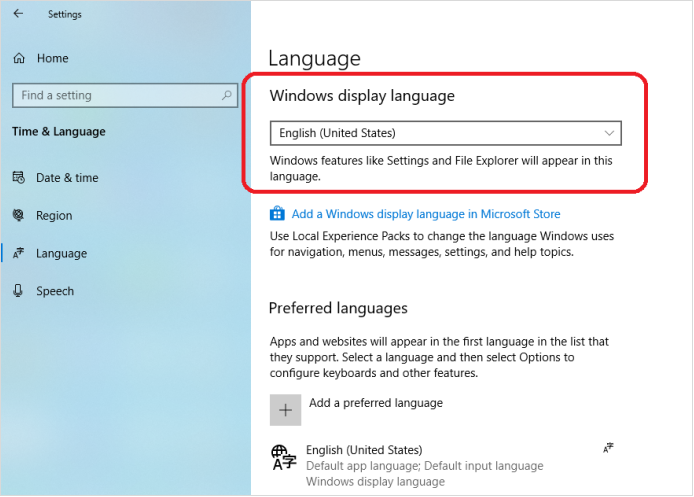
Step4, If you forget to check Set as my display language , you can change the preferred display language for windows here.

Jätä kommentti

Tämä sivu on suojattu hCaptcha-tunnistuksella, ja hCaptchan tietosuojakäytäntöjä ja käyttöehtoja sovelletaan.

Kaikki kommentit moderoidaan ennen julkaisemista.

Read more

How to change the display size of screen content to fit the TV screen?

How to change the display size of screen content to fit the TV screen?

Open the Intel® Graphics Command Center, click Connected Displays ->Scale->Select Custom, change the display size of screen content to fit the TV screen. 

Lisätietoja
How to change the display size of screen content to fit the TV screen?

How to change the display size of screen content to fit the TV screen?

Open the Intel® Graphics Command Center, click Connected Displays ->Scale->Select Custom, change the display size of screen content to fit the TV screen. 

Lisätietoja