
How to install a hard disk?
Only PCG35 GLK and PCG63 APO can support install a hard disk with SATA interface. Both SATA and SSD hard disk can be supported.
Step 1, Take off the four screws on the Bottom panel to open the Mini PC. And prepare a 2.5'' hard disk with SATA interface. The 2.5'' hard disk will be fixed on the bottom panel.

Step2, Follow the picture to install hard disk and tighten the four screws to fix hard disk on the bottom panel.


Step3, Connect the the power cable and SATA cable.
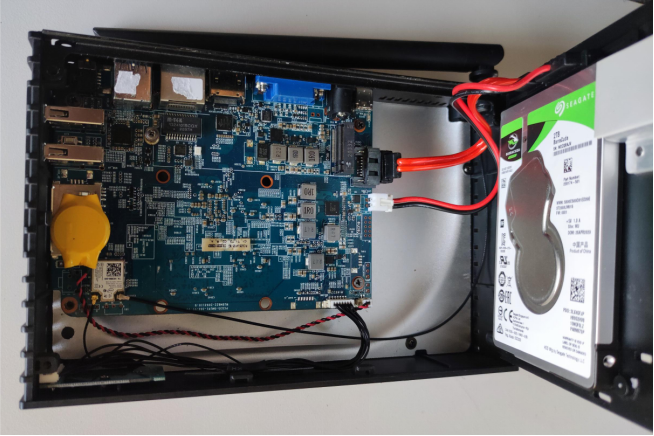
Step4, Install the bottom panel and tighten the screws.


Laisser un commentaire
Ce site est protégé par hCaptcha, et la Politique de confidentialité et les Conditions de service de hCaptcha s’appliquent.