
Vai al contenuto

Carrello

Il tuo carrello è vuoto

Articolo: How to add a display language?

How to add a display language?

Step1, Click Right mouse on the Windows icon on the bottom left corner-> Select Settings->Time & Language->Language->Click Add a preferred language to add a display language.

Step2, Choose a language to install.

Step3, Choose the install language features. 

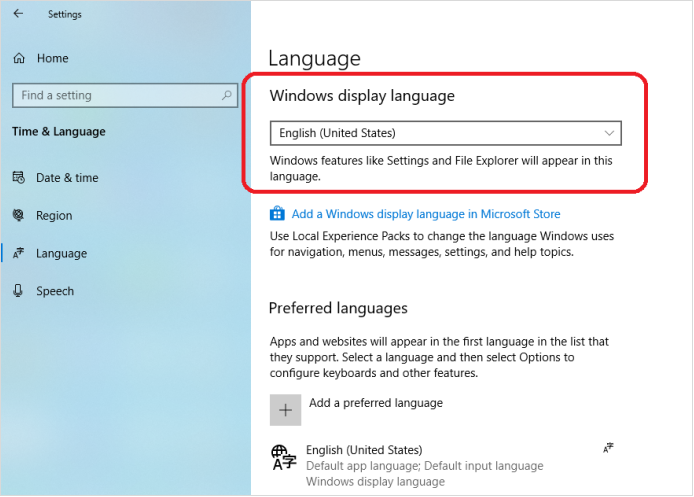
Step4, If you forget to check Set as my display language , you can change the preferred display language for windows here.

Commenta

Questo sito è protetto da hCaptcha e applica le Norme sulla privacy e i Termini di servizio di hCaptcha.

Nota che i commenti devono essere approvati prima di essere pubblicati.

Read more

How to change the display size of screen content to fit the TV screen?

How to change the display size of screen content to fit the TV screen?

Open the Intel® Graphics Command Center, click Connected Displays ->Scale->Select Custom, change the display size of screen content to fit the TV screen. 

Per saperne di più
How to change the display size of screen content to fit the TV screen?

How to change the display size of screen content to fit the TV screen?

Open the Intel® Graphics Command Center, click Connected Displays ->Scale->Select Custom, change the display size of screen content to fit the TV screen. 

Per saperne di più