Vai al contenuto

Carrello

Il tuo carrello è vuoto

Articolo: How to install device driver(.inf)on Mini PC?

How to install device driver(.inf)on Mini PC?

1. Press the Windows key + R key on the keyboard.

2. In the Run dialog box, type devmgmt.msc and press the Enter key.

3. In Device Manager, locate the device that needs a driver install.

4. Right-click the device's name or icon and select Update driver.

5.Select Browse my computer for drivers.
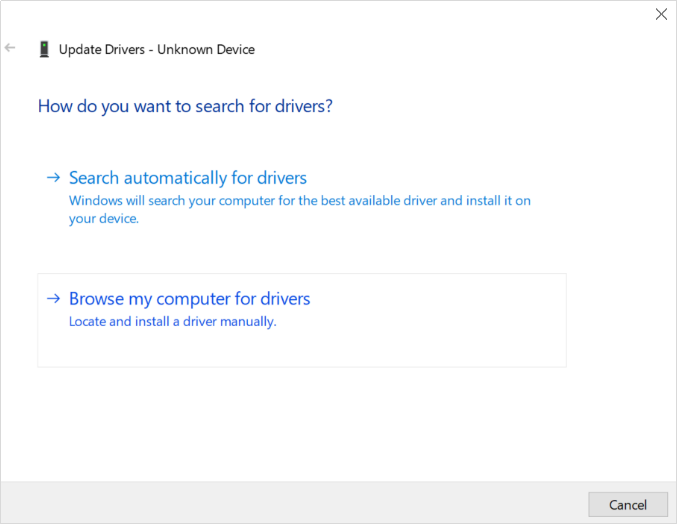
6.Click Browse, select the location of drivers.

7.Click Next to confirm and proceed with driver install.

8. Click Close.

9. Some drivers need to restart the PC to make them work.

 

Commenta

Questo sito è protetto da hCaptcha e applica le Norme sulla privacy e i Termini di servizio di hCaptcha.

Nota che i commenti devono essere approvati prima di essere pubblicati.

Read more

How do I roll back a driver to a previous version?

How do I roll back a driver to a previous version?

The rollback driver feature available in Windows Device Manager is used to uninstall the current driver and then automatically install the previously installed version of the driver. The most commo...

Per saperne di più
How to update to Windows 11?

How to update to Windows 11?

PCG02 GLK\PCG02 GLE\Quieter2\PCG35 GLK\PCG35 GML4GB+64GB or higher configuration are able to be upgraded to Win11 . PCG02 APL\PCG02 APO are unable to support Win11. If you are not sure whether your...

Per saperne di più