
セーフモードを起動するには?
Step1: 電源ボタンを押し、F9キーを継続的に押して「オプションの選択」メニューに入ります。

Step2: トラブルシューティング → 詳細オプション → スタートアップ設定を選択します。


Step3: 再起動を選択し、再起動後にF4キーを押してセーフモードに入ります。



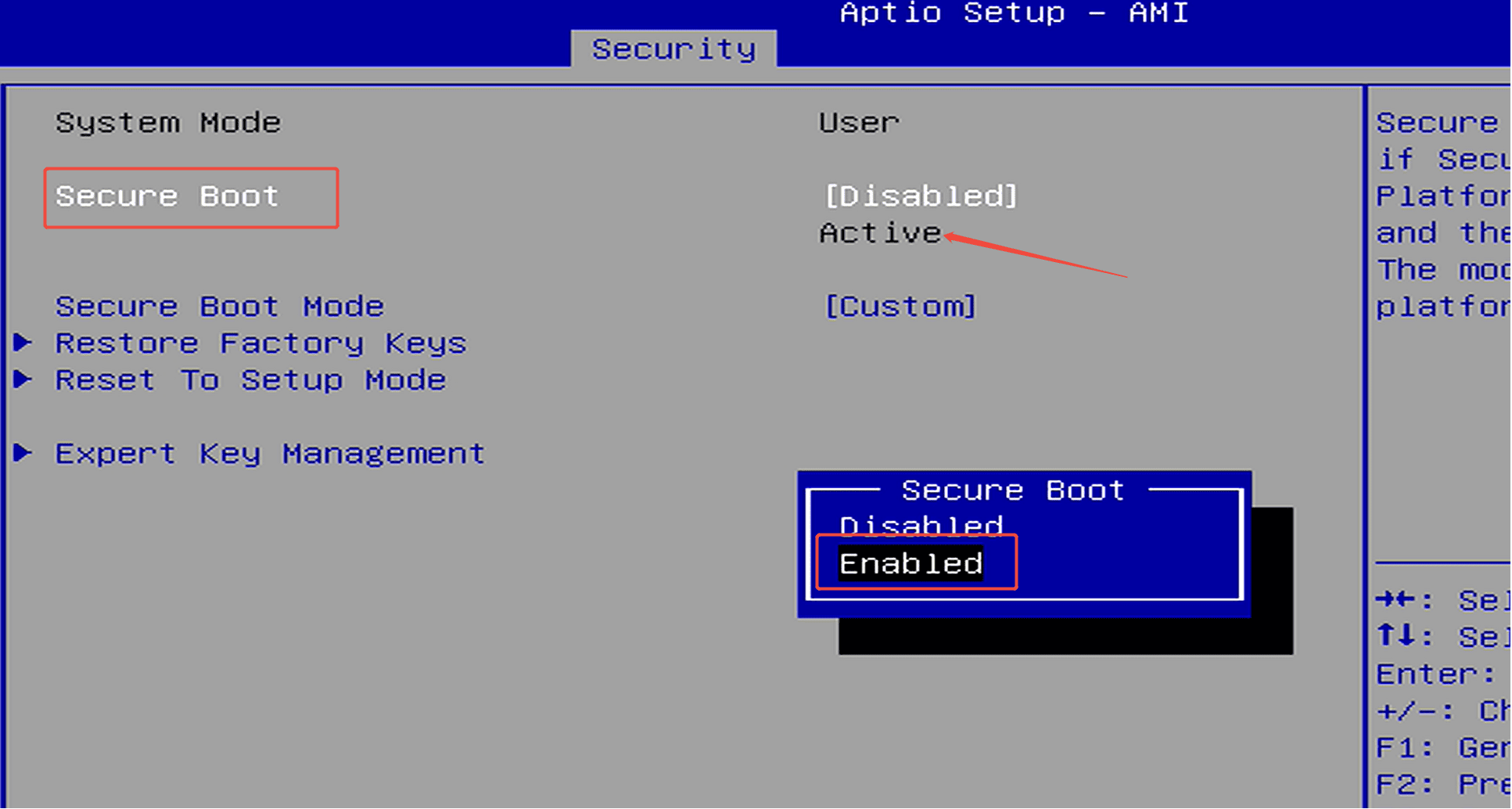
ステップ1:電源ボタンを押してF7を連続して押し、ブートメニューに入り、「Enter Setup」を選択してBIOSにアクセスします。(または、電源ボタンを押した直後にDeleteキーを繰り返し押してBIOS設定に入ります) ステップ2:Security →Secure Boot →Enabledに進みます。 Secure BootがActiveと表示されている場合、その機能は...
Meer informatie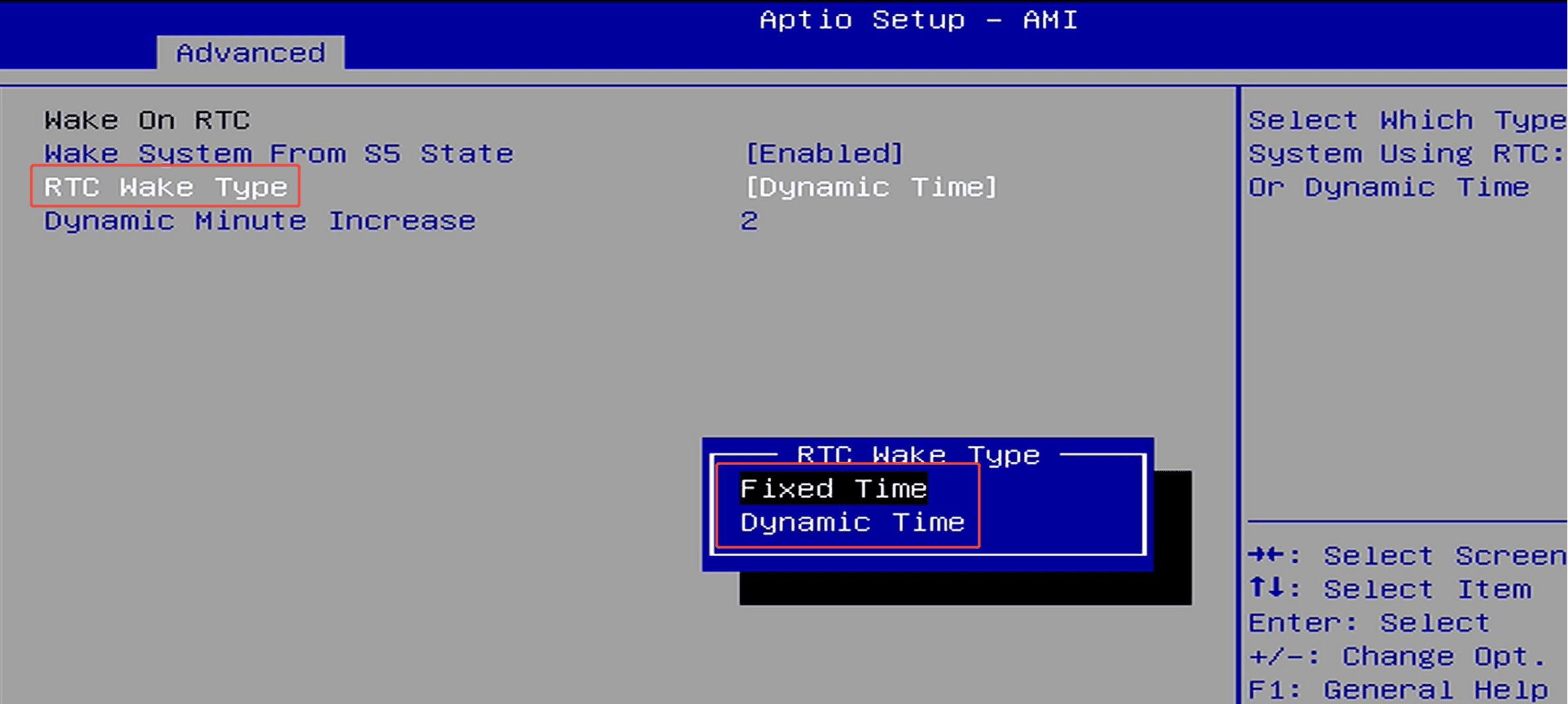
ステップ1: 電源ボタンを押して、すぐにF7を繰り返し押してブートメニューに入り、「Enter Setup」を選択してBIOS設定に入ります。(または、電源ボタンを押した後すぐにDeleteキーを繰り返し押してBIOS設定に入ります) ステップ2: セットアップ方法はプラットフォームによって若干異なります。お使いのプラットフォームに応じて、指示に従ってください。(1) Jasper Lak...
Meer informatie
Laat een reactie achter
Deze site wordt beschermd door hCaptcha en het privacybeleid en de servicevoorwaarden van hCaptcha zijn van toepassing.