
Naar inhoud

Winkelwagen

Je winkelwagen is leeg

Artikel: How to add a display language?

How to add a display language?

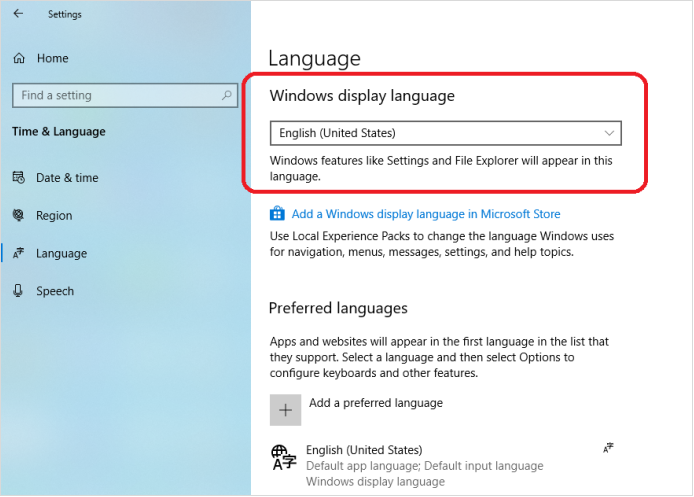
Step1, Click Right mouse on the Windows icon on the bottom left corner-> Select Settings->Time & Language->Language->Click Add a preferred language to add a display language.

Step2, Choose a language to install.

Step3, Choose the install language features. 

Step4, If you forget to check Set as my display language , you can change the preferred display language for windows here.

Laat een reactie achter

Deze site wordt beschermd door hCaptcha en het privacybeleid en de servicevoorwaarden van hCaptcha zijn van toepassing.

Alle reacties worden gemodereerd voordat ze worden gepubliceerd.

Read more

How to change the display size of screen content to fit the TV screen?

How to change the display size of screen content to fit the TV screen?

Open the Intel® Graphics Command Center, click Connected Displays ->Scale->Select Custom, change the display size of screen content to fit the TV screen. 

Meer informatie
How to change the display size of screen content to fit the TV screen?

How to change the display size of screen content to fit the TV screen?

Open the Intel® Graphics Command Center, click Connected Displays ->Scale->Select Custom, change the display size of screen content to fit the TV screen. 

Meer informatie