
How to reset BIOS Settings?
Method 1: Restore Default Settings in BIOS.
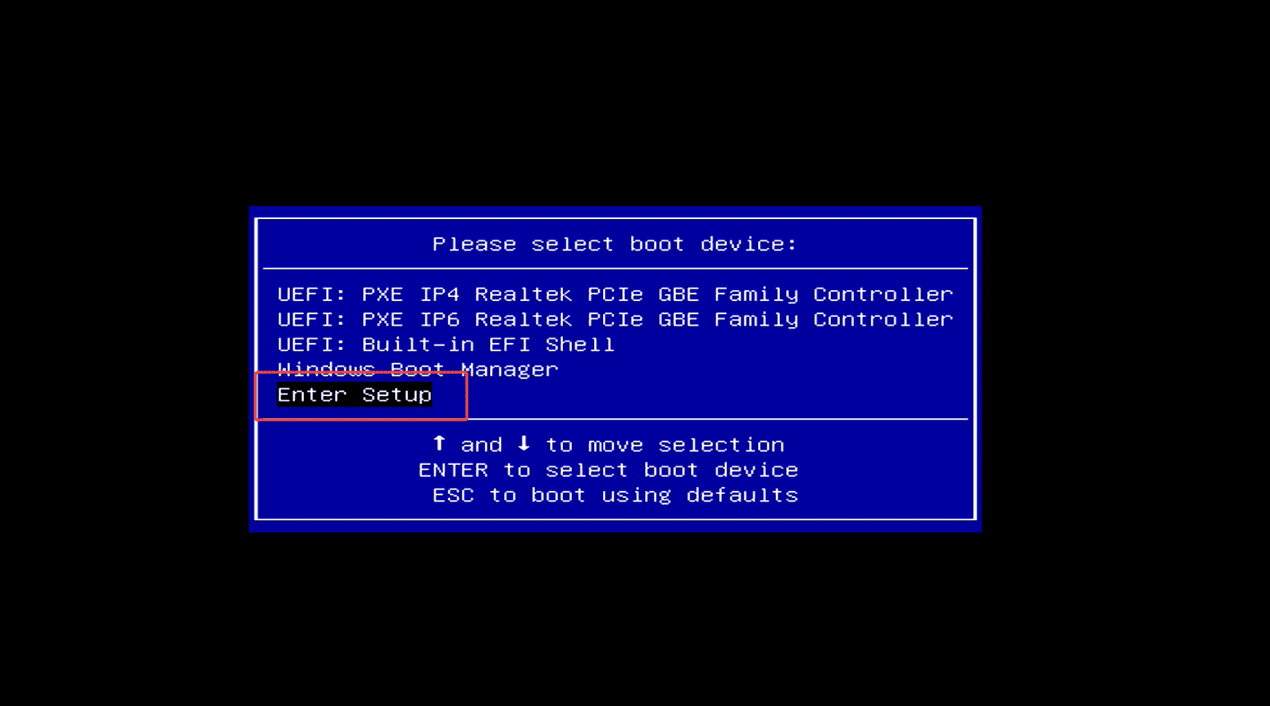
Step 1: Press the power button and immediately press F7 repeatedly to enter the boot menu, then select “Enter Setup” to enter the BIOS setup.
(Or press the Delete key repeatedly immediately after pressing the power button to enter the BIOS settings)

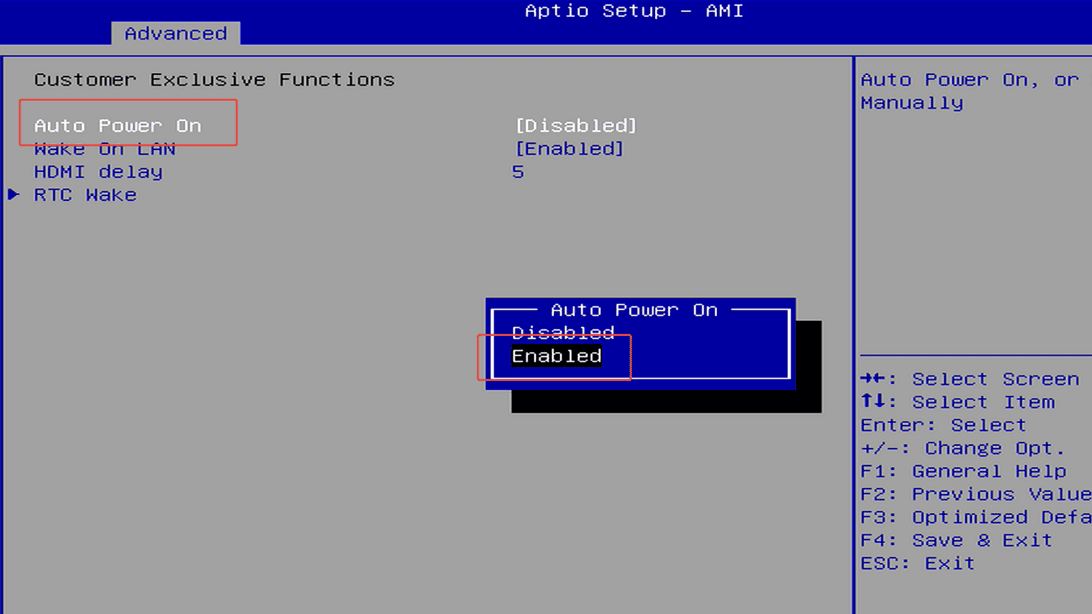
Step 2: Press F3 to restore the default BIOS settings.

Method 2: Reset the BIOS with the Reset Button.
Turn off your Mini PC, then press and hold the BIOS reset button for about 3 seconds.
(The button is usually located in a small hole between the HDMI ports. The exact position may vary by model. You can use a SIM eject pin or another thin tool to press it gently.)

Method 3: Reset the BIOS by removing the CMOS battery.
Turn off your Mini PC and open the case. Carefully disconnect the CMOS battery from the motherboard, wait for about 10 seconds, then reconnect it.
This will reset the BIOS settings to their default values.


发表评论
此站点受 hCaptcha 保护,并且 hCaptcha 隐私政策和服务条款适用。